
How to take orders on WhatsApp without losing any
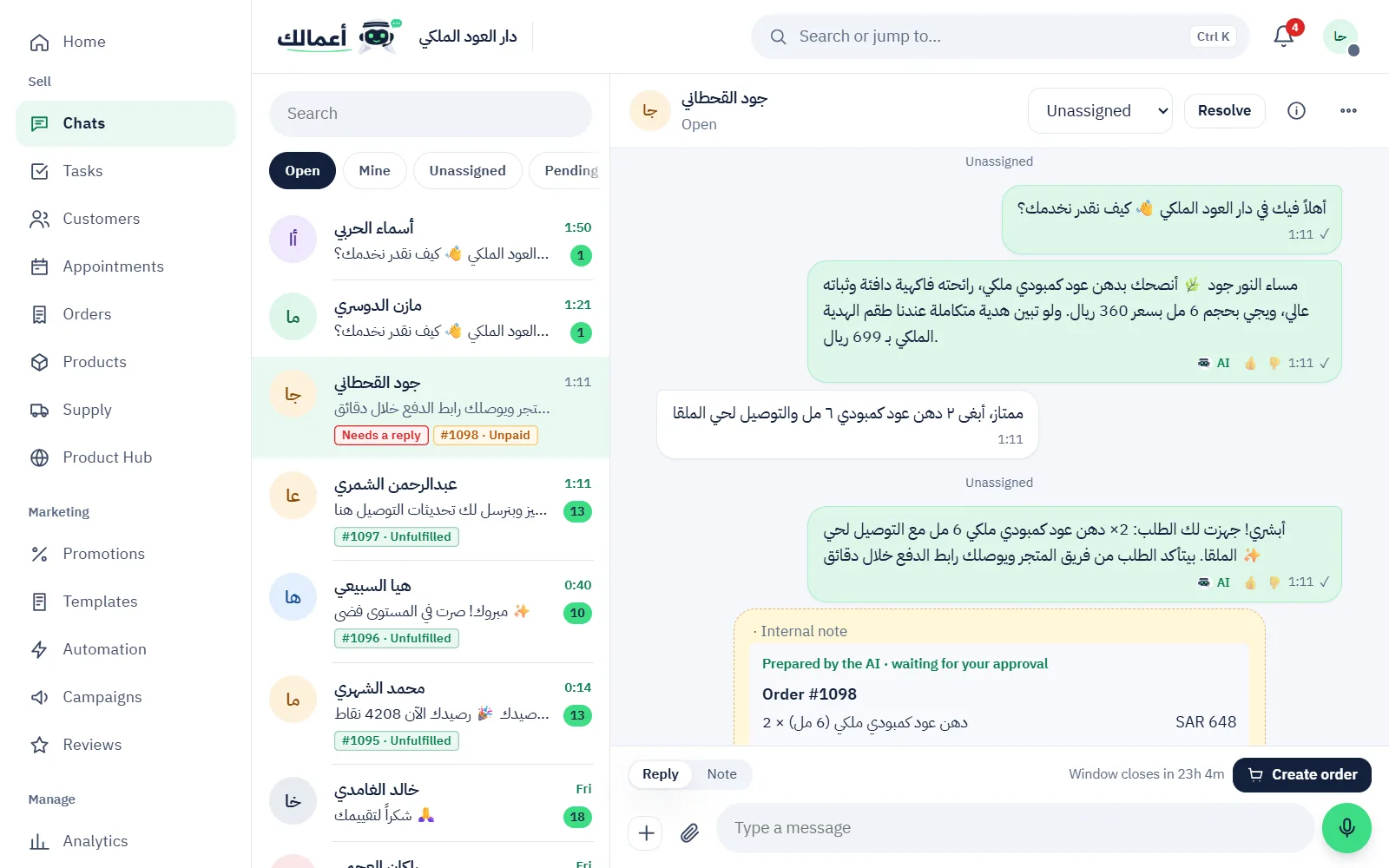
Orders get lost on WhatsApp because the chat is the order: its details are spread across messages, the payment happens elsewhere, and delivery lives in a notebook. The fix is to build the order inside the chat itself and see its status in one place.
Where orders usually get lost
- A message that reached the phone of someone on leave.
- Two staff answering the same customer with different prices.
- A confirmed order that was never paid, because the payment link wasn’t sent.
- A customer asking when delivery comes, and nobody knows.
The method
- One inbox for the team: every chat on the number in one place, each with an owner.
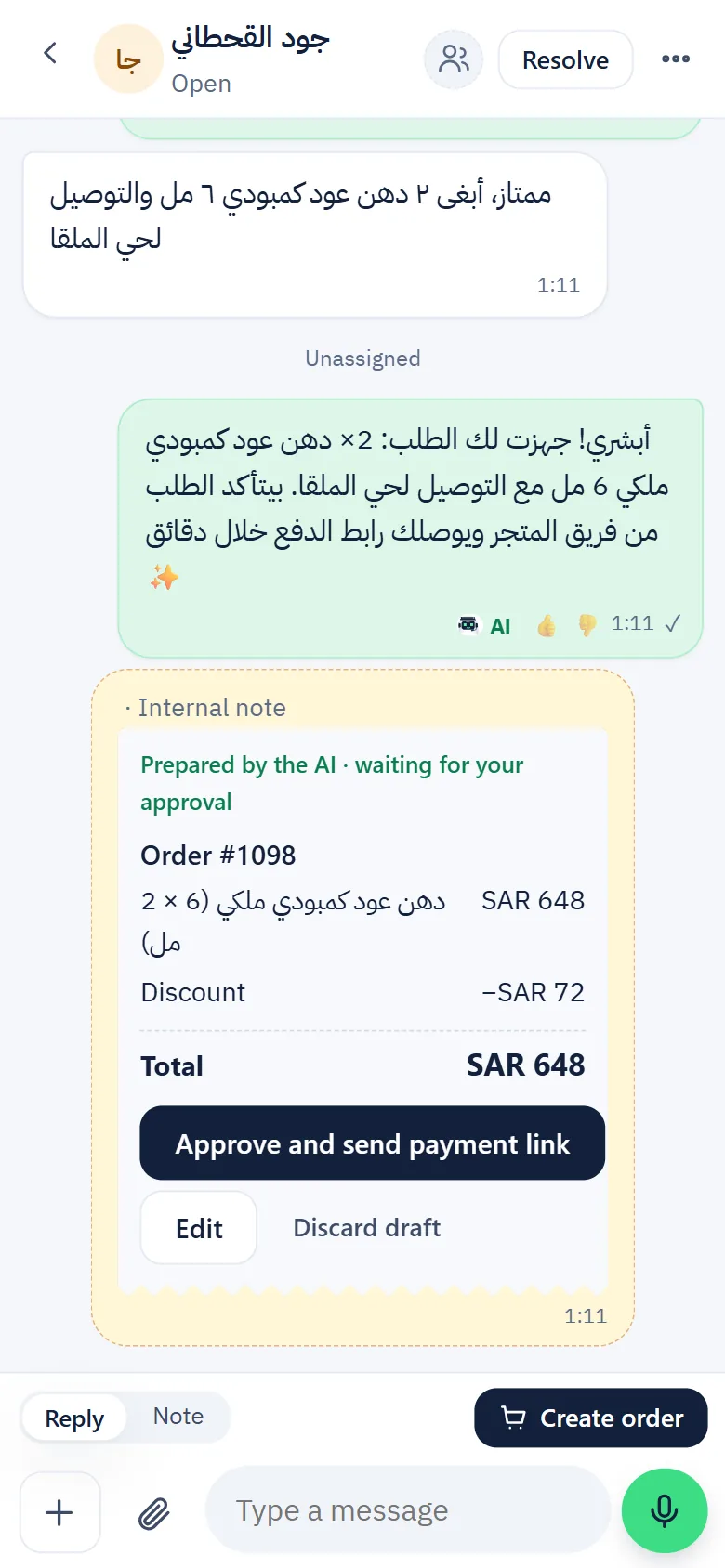
- The order inside the chat: pick products from your catalog with variants and add-ons, and review the order summary.
- A payment link in one tap: send a mada or card payment link, or record cash on delivery.
- A clear status for every order: payment, then preparation, then delivery, visible to the whole team.
- Automatic follow-ups: messages after delivery, or when an order is unpaid, go out without anyone remembering.
Common questions
Does this fit my business?
If you sell or take bookings on WhatsApp: perfume, fashion, restaurants, electronics, services and home businesses.
Can I connect my Salla or Zid store?
Yes, Salla and Zid sync is available; some services need your own account with the provider.
See an order prepared inside the chat during the 7-day free trial
Try it free for 7 days